Status indicators
For each node in the connections window, Transceive checks whether the node can be reached on the network.
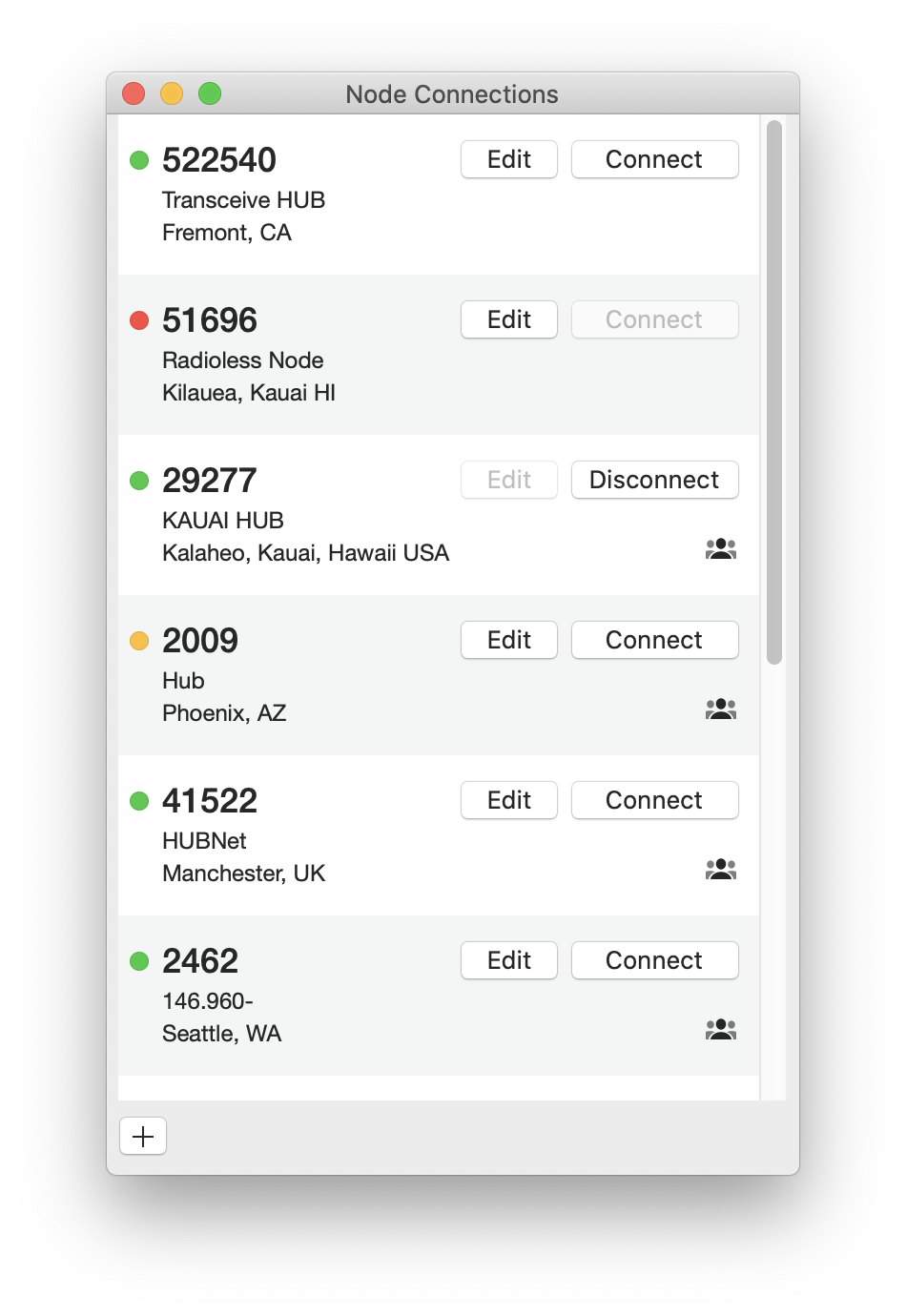
| Indicator | Meaning |
|---|---|
| Green | Node is online and reachable |
| Red | Node is offline or unreachable on the current network |
| Amber | Node is reachable but the most recent authentication attempt failed, often due to an invalid username or password |
Transceive rechecks availability when your network changes, such as when you switch Wi‑Fi networks, and when your Mac wakes from sleep with Transceive running.
If a node’s DNS entry fails to resolve and you know the IP and port, entering them in advanced configuration may restore a green status.