Authorize AllStar authentication
Authorize Transceive to use your AllStar account when connecting via public authentication.
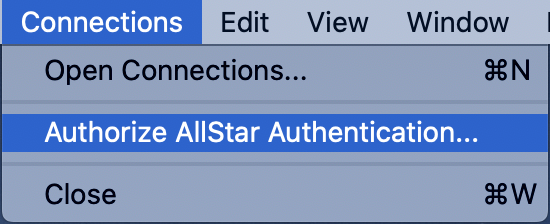
- Choose Connections → Authorize AllStar Authentication…
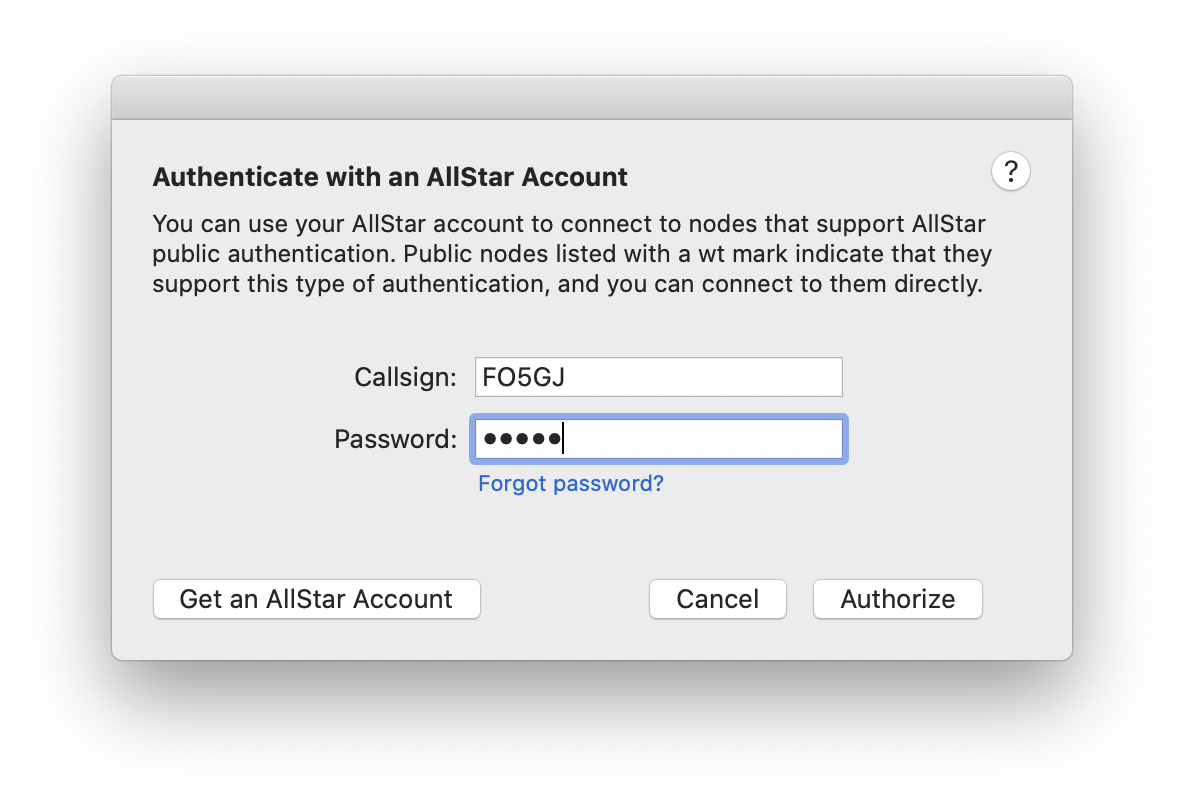
- Enter your callsign and AllStar account password. Transceive retrieves an access token and stores it in the macOS Keychain.
After authorization, public authentication becomes available when you edit node connections.