Radio first
Internet when you want it
Send and receive mail over the air, or use WiFi or cellular when it’s available. Hold messages for radio delivery when you’re ready to go on the air.
Have the original RadioMail? It's now RadioMail Classic. See what that means for you.
Learn moreNew 2.0 version on the App Store
Send and receive email with your radio using the Winlink system.

4.8
Free trial.
Requires iOS 18.6 or later. A valid amateur radio license is required.
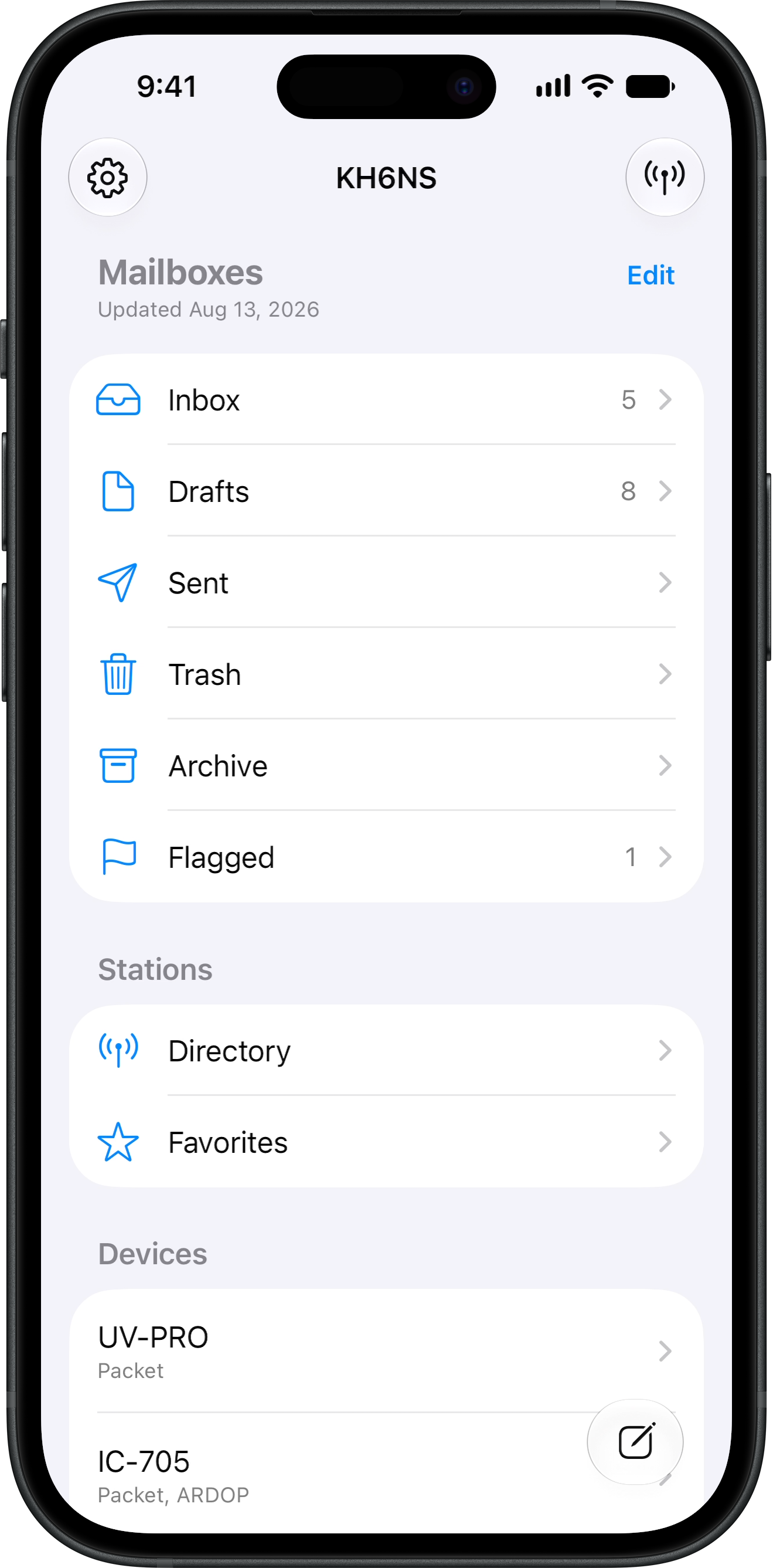
RadioMail brings off-grid email to the devices you already carry, with the polish of a native mail app and the reach of amateur radio.
Internet when you want it
Send and receive mail over the air, or use WiFi or cellular when it’s available. Hold messages for radio delivery when you’re ready to go on the air.
iPhone, iPad, and Mac
iCloud keeps mailboxes in sync regardless of your device. Background fetch and notifications keep you in the loop.
Gear that discovers itself
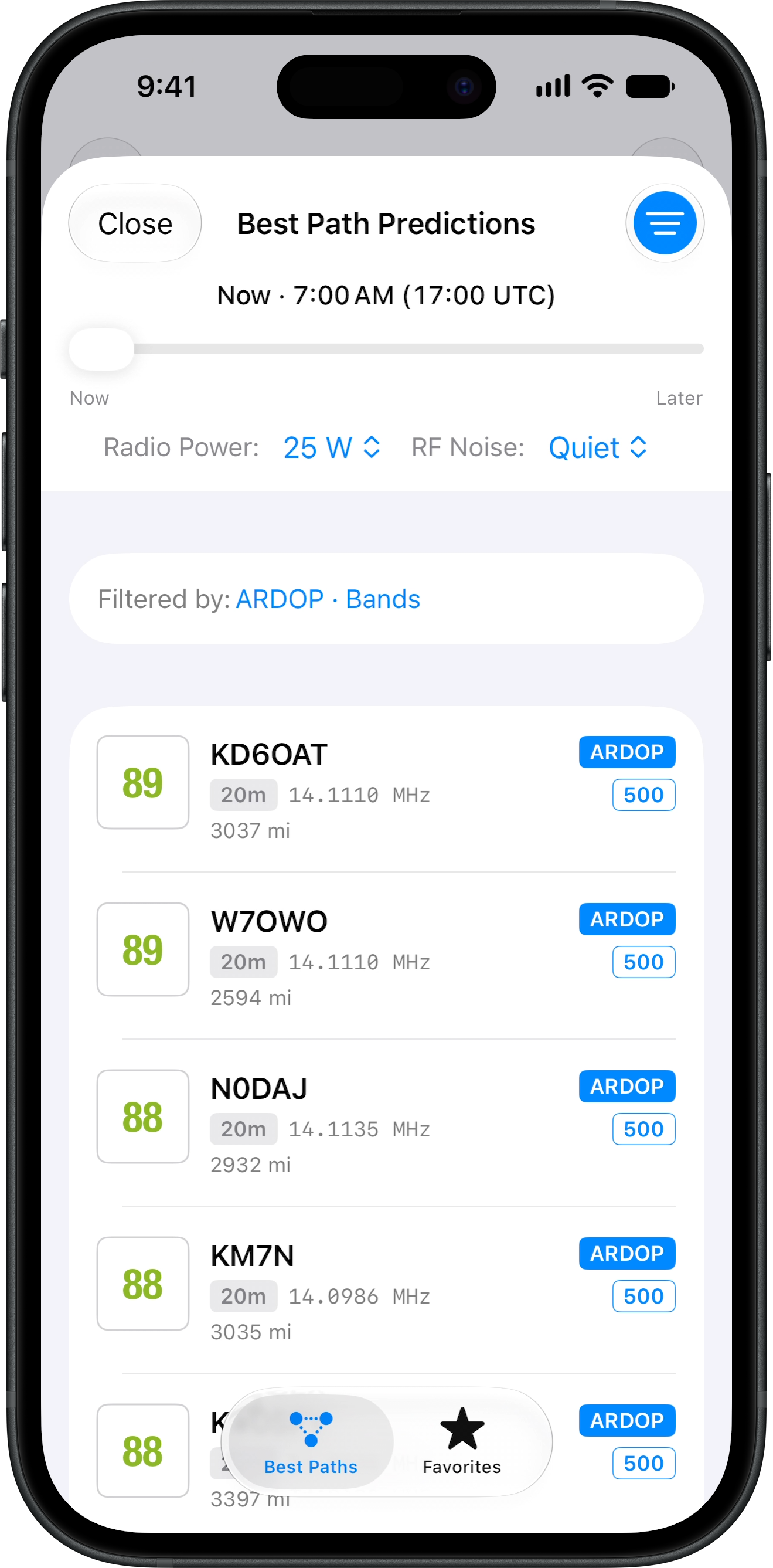
Pair radios once, then pick what you need when you start a session. The best path prediction engine helps you find the best station to try first.
A full-featured mail app built around radios, so you can send and receive messages wherever you operate.
Mail goes out over Wi-Fi or cellular when you have a connection, and new messages arrive in the background. Use radio when you want to operate over the air, or when the internet is gone.
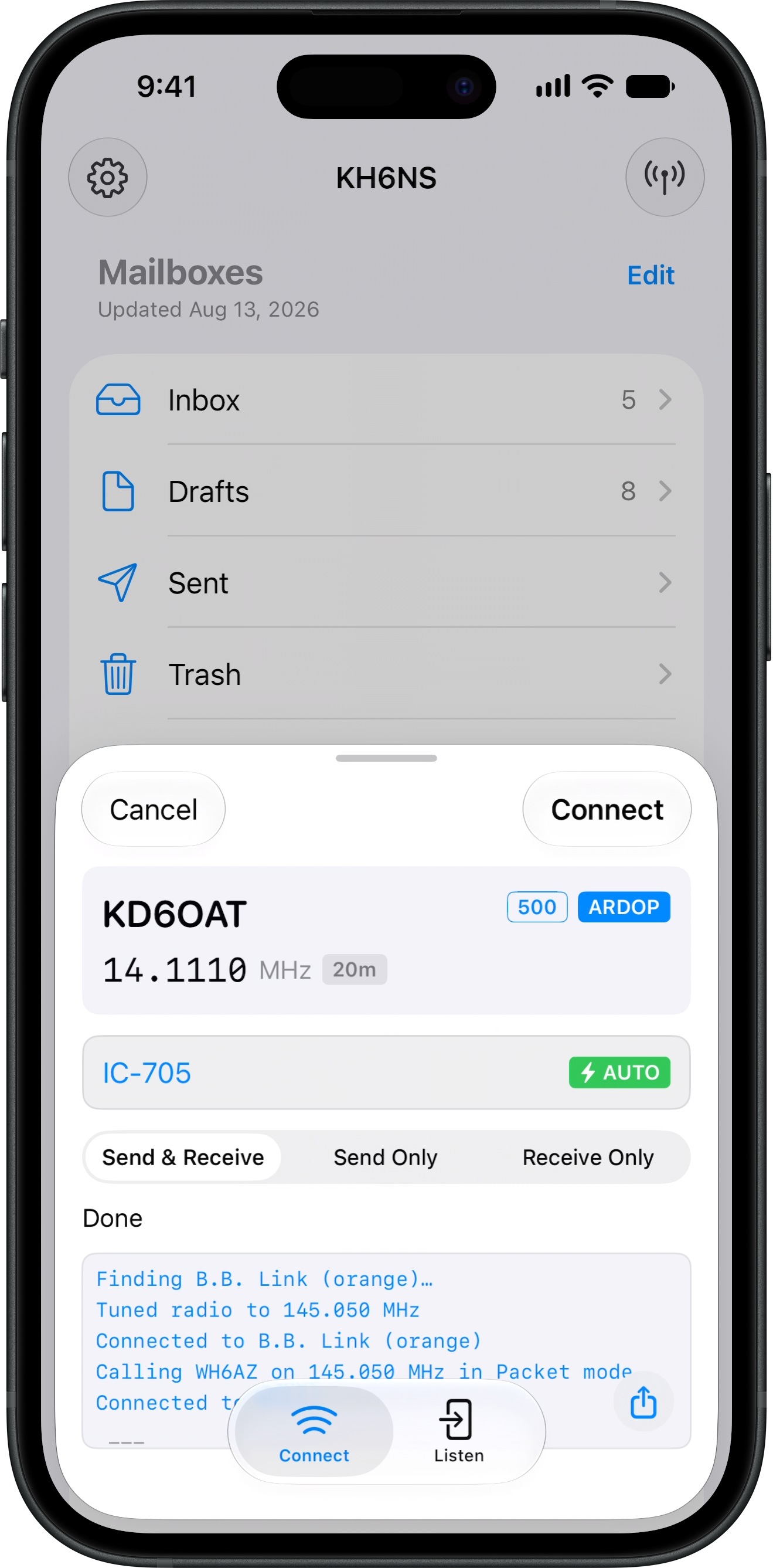
Nearby radios and modems appear on their own. Pair them once, then choose which one to use when you start a session. Audio adapters like DigiRig Lite are plug-and-play. Connect one anytime and it will get picked up automatically.
Pair over Wi-Fi and leave the cables behind. RadioMail handles frequency, mode, and PTT, with built-in Packet and ARDOP modems that make your IC-705 digital modes ready.
Plug in an audio adapter like the Digirig Lite. Built-in packet and ARDOP modems handle the digital to analog audio conversion, so you can get on the air without a separate piece of equipment.
Know which station to try first. Predictions use your location, solar conditions, absorption, short-path NVIS, and your power and noise settings to score the best path.
Wait for another station to reach you and exchange messages radio to radio. No Winlink system in the middle.
Add a photo from the camera or your library, or attach any file. Images are sized for radio so they take less time to send.
Your position is added to messages and forms automatically. Share it on the APRS network when you want others to find you.
Choose from 100+ standard forms. Your location fills in automatically, and received forms can be shared as PDFs. An experimental iPhone-optimized layout makes forms easier to complete on a small screen.
Find, flag, and organize mail the way you expect. Search, smart mailboxes, and bulk edit are built in.
Addresses are automaticlaly looked up from your Contacts app, including lists for group messaging.
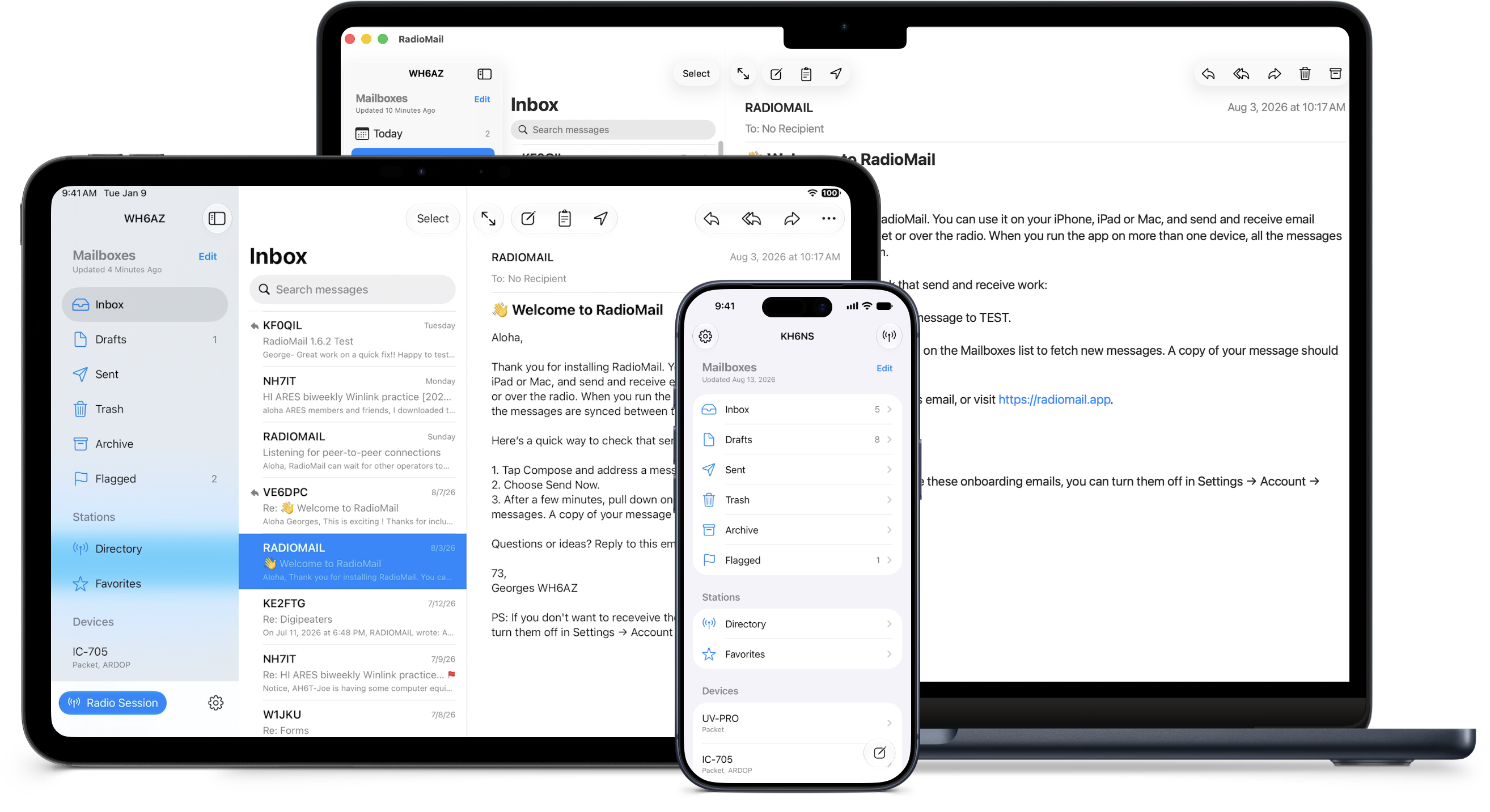
Use the same app on iPhone, iPad, and Apple silicon Macs. iCloud sync keeps your mail current on every device.
The station directory ranks channels with a simple scoring system by how likely you are to reach them.
Packet and VARA FM rankings follow distance. Closer stations rise to the top.
A local MINIMUF-based engine scores the next 24 hours using solar data, absorption, NVIS for short paths, and your location, power and noise settings.
Your exchange history and anonymous connection reports from nearby operators refine the physics when online.
Designed for every screen, from iPhone to Mac. RadioMail adapts to each device, while iCloud keeps your messages in sync and available wherever you are.
A note on Mac compatibility
RadioMail runs well on Apple silicon Macs, but it remains an iPad app rather than a native macOS application. This means it does not have direct access to USB devices or the broader hardware and software integrations available to native Mac apps.
RadioMail is designed around portability first: use your iPhone or iPad for field communications, then pick up on your Mac with your messages synced and your full mail context intact. For shack-focused operation that depends on USB hardware, applications such as Pat or MacWinlink may be a better fit.
Devices that discover themselves and need little configuration.
Frequency control available from the app.
Automatically detected by integrated modems.
Plug and play appliances.
You’ll notice that RadioMail 2.0 puts a lot of emphasis on radios and devices that can be discovered automatically and work with little or no configuration. That’s what we should expect in 2026, especially on mobile devices. Nobody wants to type IP addresses, ports, and obscure settings on an iPhone.
The reality is that running and configuring software for digital modes is still one of the biggest barriers to getting on the air. It also generates a ridiculous amount of support traffic. Spend five minutes on a support forum and you’ll see the same configuration problems over and over again.
So RadioMail will increasingly favor protocols and hardware that are open, documented, and can be implemented natively on iPhone and iPad. Proprietary secret sauce will be supported where unavoidable, but it won’t drive the direction of the app and may eventually be phased out.
That’s an intentional design choice.
Amateur radio moves forward when protocols are open, interoperable, and available for others to build on. Those are the technologies worth investing in, and that’s where RadioMail will spend its time.
— Georges WH6AZ
As ARES EC providing Emcomm to a community of 600,000 people, I've always wanted to be able to use Winlink on my iPhone and iPad and now I can. Telnet connections are easy, and can even use a connection to your radio to send via RF. And unlike many other Amateur Radio apps, this one looks and works beautifully!
Chris W3CTK
I have participated in the beta testing for RadioMail and found it to be the best winlink client yet. I have used winlink in windows, Pat on Linux, and WoAD on Android and none are as easy to use as RadioMail. Thanks for getting this out.
Apple M1 Rocks
For deployed teams in remote locations and leads in less remote spots, this should prove invaluable. Excited to do more testing with the app.
KE0WW
This is a great app to have if you use Winlink on a regular basis. Works great on my iPhone and iPad.
K4ONC
Being the first and only iPhone Winlink app, I don't think any other version is necessary. This is by far the best! Thank you for sharing your incredible coding and app building skills!
Jojo M'74
RadioMail makes finding local nodes a snap!
Josh KI6NAZ
4.8
Free trial.
Requires iOS 18.6 or later. A valid amateur radio license is required.
1 Requires a B.B. Link adapter.
2 Requires firmware v1.4 or later and AutoPTT mode on.
3 Requires varanny, a lightweight service wrapper for the VARA software modem, designed to simplify headless operations. Create a complete headless VARA solution on a stick PC.
Winlink Global Radio Email is an all-volunteer project of the Amateur Radio Safety Foundation, Inc. (ARSFI), a non-profit public benefit corporation with no beneficial owners. The RadioMail application is independently developed by Island Magic Co. and is not affiliated with ARSFI.