Linked nodes
When nodes are linked, they repeat audio with each other. Transceive shows every node that can communicate on your current link.
Click the Linked Nodes disclosure control to show or hide the list. A badge shows the total count.
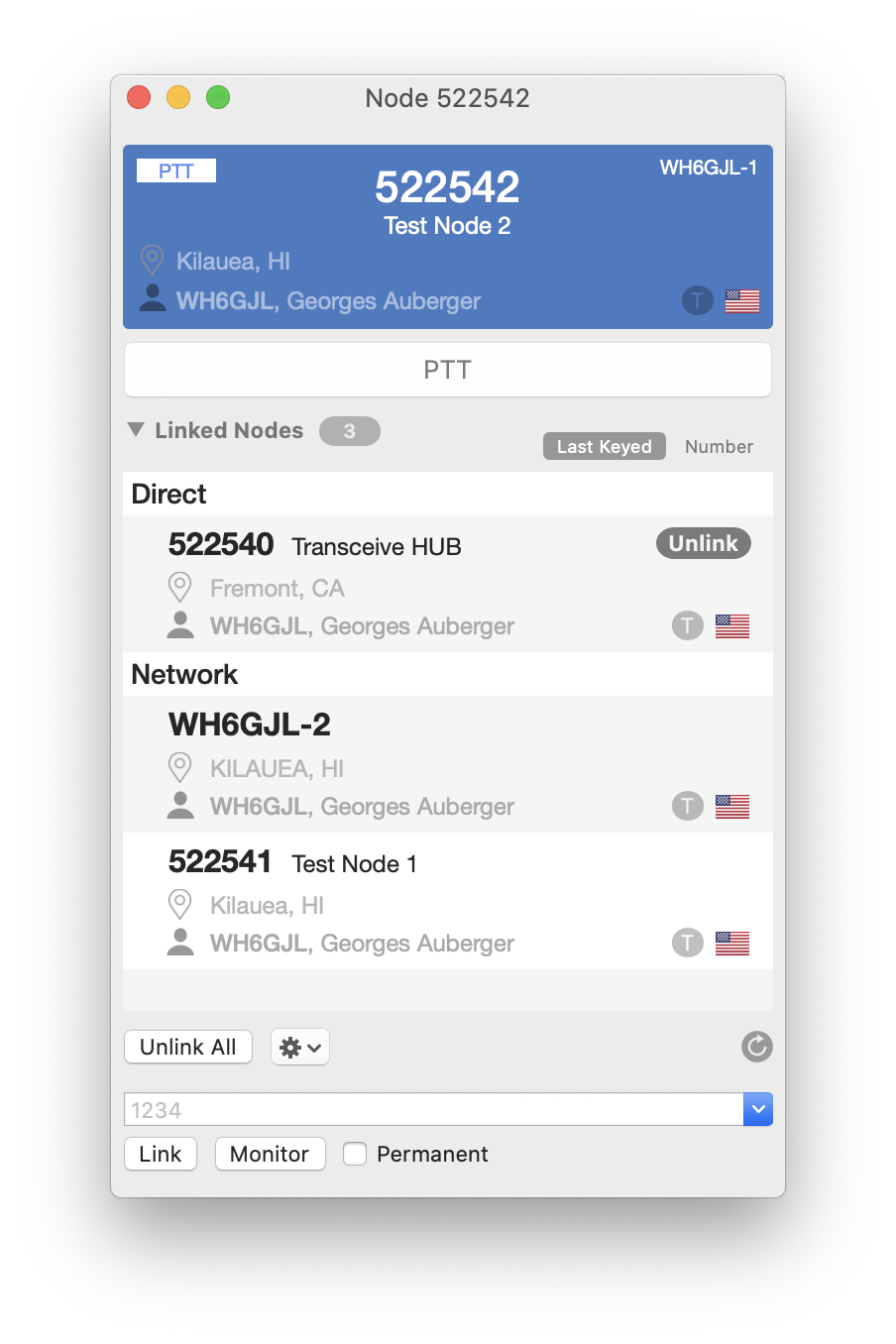
Direct
Nodes directly linked to yours appear here. This includes nodes you linked to and nodes that linked to you. Unlink individual nodes or use Unlink All.
Network
Network nodes are all other nodes currently connected through the link chain. They may be several hops away from your direct link.
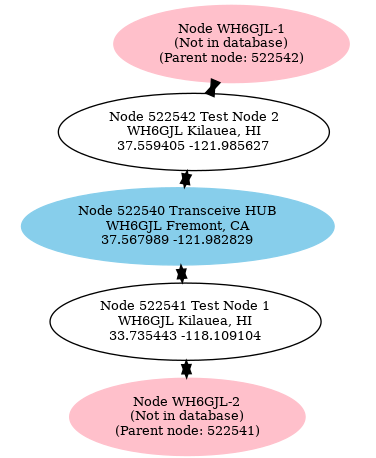
In this example, two Transceive stations connect to their respective nodes, and both nodes connect to a shared hub.